


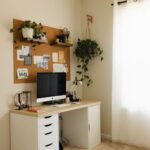



Creating a relaxing home workspace is a game-changer for anyone who works remotely or spends significant time on tasks at home. A calm and well-organized environment not only reduces stress but also helps improve focus, creativity, and overall productivity. Whether you have a dedicated room or just a small nook, there are plenty of ways to make your workspace more inviting and efficient.
In this post, we’ll explore practical tips to help you design a home workspace that promotes relaxation and boosts your work performance.
Why a Relaxing Workspace Matters
Working in a cluttered or uncomfortable space can quickly decrease motivation and increase fatigue. On the other hand, a thoughtfully designed workspace encourages a positive mindset and makes it easier to maintain productive habits.
Here are some key benefits of a relaxing workspace:
– Reduces stress and distractions
– Increases concentration and mental clarity
– Promotes comfort and reduces physical strain
– Encourages consistent work routines
Now let’s dive into actionable tips you can use to create your ideal workspace.
Choose the Right Location
Selecting the right spot for your workspace is the foundation for creating a relaxing environment.
– Natural light: Try to position your desk near a window. Natural light improves mood and reduces eye strain.
– Quiet area: Find a place with minimal noise and interruptions. It helps maintain focus throughout the day.
– Space for essentials: Ensure there’s enough room for your computer, stationery, and any other tools you need.
If space is limited, consider using room dividers or portable screens to create a distinct boundary between work and living areas.
Invest in Comfortable Furniture
Comfort is essential when spending hours working. The right furniture supports your posture and helps avoid discomfort.
– Ergonomic chair: Choose a chair with good lumbar support and adjustable features.
– Desk height: Your desk should allow your arms to rest comfortably at a 90-degree angle.
– Footrest: If your feet don’t touch the ground, using a footrest can improve circulation and comfort.
Don’t forget to leave some room to move around—stretching frequently reduces stiffness and keeps you energized.
Keep the Space Organized
Clutter can be distracting and create unnecessary stress. Keeping your workspace tidy will help your mind stay clear.
– Declutter regularly: Remove items you don’t need daily.
– Use organizers and trays: Keep pens, papers, and accessories in designated containers.
– Cable management: Use clips or cable sleeves to hold wires neatly.
A clean workspace also makes it easier to find what you need, saving time during your workday.
Incorporate Calming Colors and Decorations
The colors and decorations around you impact mood and productivity. A relaxing space often features soothing tones and minimal distractions.
– Color choices: Soft blues, greens, and neutrals tend to have calming effects.
– Plants: Adding a few plants can purify the air and add a natural touch.
– Artwork: Choose inspiring, simple artwork that makes you feel good without overwhelming the space.
Avoid overly bright or cluttered walls that can be overstimulating.
Control Lighting and Noise
Proper lighting and sound levels play a big role in comfort and focus.
– Task lighting: Use adjustable desk lamps to provide extra light when needed.
– Avoid glare: Position screens to avoid reflections from windows or overhead lights.
– Background noise: Some people work well with white noise or soft music, while others prefer silence. Find what suits you best.
Noise-canceling headphones can be helpful if you’re in a noisy environment.
Establish Personal Rituals and Boundaries
Your workspace should support your work habits and help you draw clear boundaries between work and rest.
– Start and end rituals: Small actions like stretching or making a cup of tea signal the beginning and end of your workday.
– Breaks: Schedule regular breaks to stand, move, and rest your eyes.
– Separate work and leisure: When possible, avoid using your workspace for non-work activities.
These habits help your brain stay focused during work and relax during downtime.
Use Technology to Your Advantage
While technology can sometimes cause distractions, the right tools can streamline your workflow and enhance comfort.
– Monitor stands: Elevate your screen to eye level to prevent neck strain.
– Wireless accessories: Reduce cord clutter by using wireless keyboards and mice.
– Apps for focus: Consider apps that block distracting websites or encourage breaks.
Keep your software and hardware updated to avoid technical disruptions.
Final Thoughts
Creating a relaxing home workspace takes some planning and effort, but the benefits are well worth it. By choosing the right location, investing in comfortable furniture, keeping your space organized, and adding calming touches, you’ll enjoy a more enjoyable work experience.
Remember, the best workspace is one that fits your personal preferences and needs. Experiment with these tips and find what helps you stay productive and relaxed every day.
Happy working!